
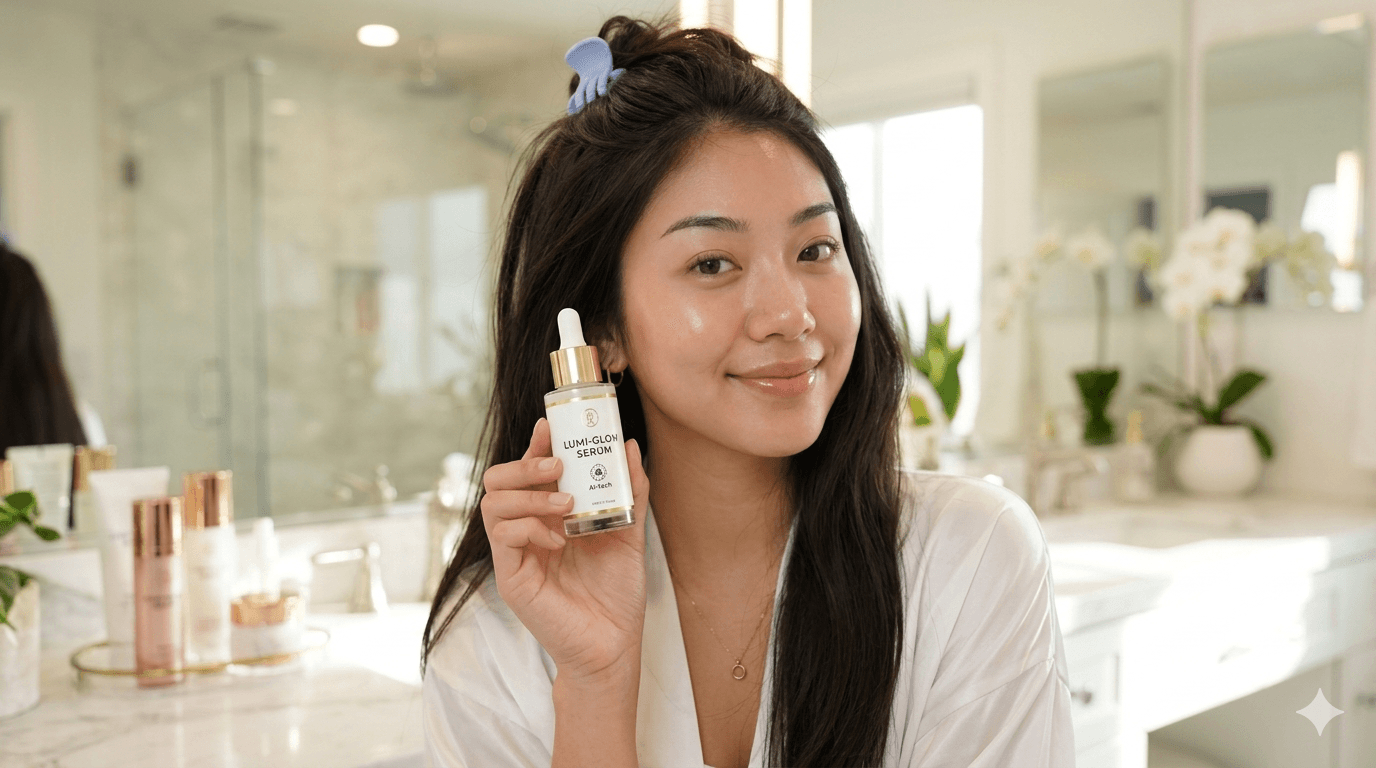
This article will detail everything you need to know about AI UGC, what it is, what the benefits are, and how to make them. Discover how the latest technologies can make the most realistic ready-to-post UGC ads. Learn how you can make ultra-realistic UGC videos with minimal prompting. If this is your first time digging into AI UGC, you’ve come to the right path.
What is AI UGC?
First, lets get a better understanding of what exactly AI UGC is. UGC stands for user-generated content which can come in the form of videos, images, reviews, and posts. This type of content is created and published by real users. Most UGC videos are about user experience, POVs, and reviews of certain products or services. Brands love UGC content. Why? Because it’s authentic. It’s a type of marketing video that boosts brand credibility.
Now add AI to the mix. Instead of content that is generated by humans, UGC is now generated by AI. In other words, AI has now become the UGC creator. These type of videos, unlike a lot of AI videos, are generated with an extensive focus on realism: human-like influencers with natural movements, gestures, voice and body language all to mimic real UGC videos. These AI creators can be made from scratch and be personalized to the user’s liking.

The benefits of AI in UGC
You might wonder, since UGC is centred around authenticity, how can AI, something that is often perceived as non-authentic, be of any benefit? The key to UGC marketing lies in authenticity, yes. The content should feel relatable and resonate with the audience. And the good thing about AI is that it can help amplify this with its efficiency. The job of AI is to make content production faster, without compromising on quality and realism. So here are a few reasons why marketers and businesses can benefit from it:
Speed
One of the biggest benefits that come with AI content creation is speed and the ability to scale faster. You can create multiple videos, hooks, and scenes all within minutes. What used to take hours if not days of work, can now be done in minutes. This helps smaller brands immensely by keeping up with trends and quickly identifying what content performs best.
Wallet-friendly
Besides production speed, it’s costs are also one of the main reasons brands and marketers are flocking to AI content. You don’t need to buy UGC usage rights or hire influencers anymore. Which means you save tons of time on negotiating and waiting on production.
Brand consistency
When you’re working with multiple UGC creators, it can be challenging to maintain a consistent brand voice across multiple platforms. With AI UGC, you instruct the AI agent about your brand and it will ensure its consistency. Or, when you use a tool like Liminal AI, you can upload your brand URL and it will automatically analyze your brand voice, tone, mood, style, and product pictures to ensure consistency across all videos.
Customization
With AI generated UGC videos, you have full control of the entire video production process. From what you want the AI influencers to say, do or look like to changing the background, and overall visual style.
How to create realistic AI UGC videos
There are several tools on the market to help you generate realistic AI UGC videos. While most generators can only generate few second clips at the time, Liminal AI can generate a fully ready-to-post video with just one sentence. In this section we will go through how to create AI UGC videos with Liminal AI’s creative suite.
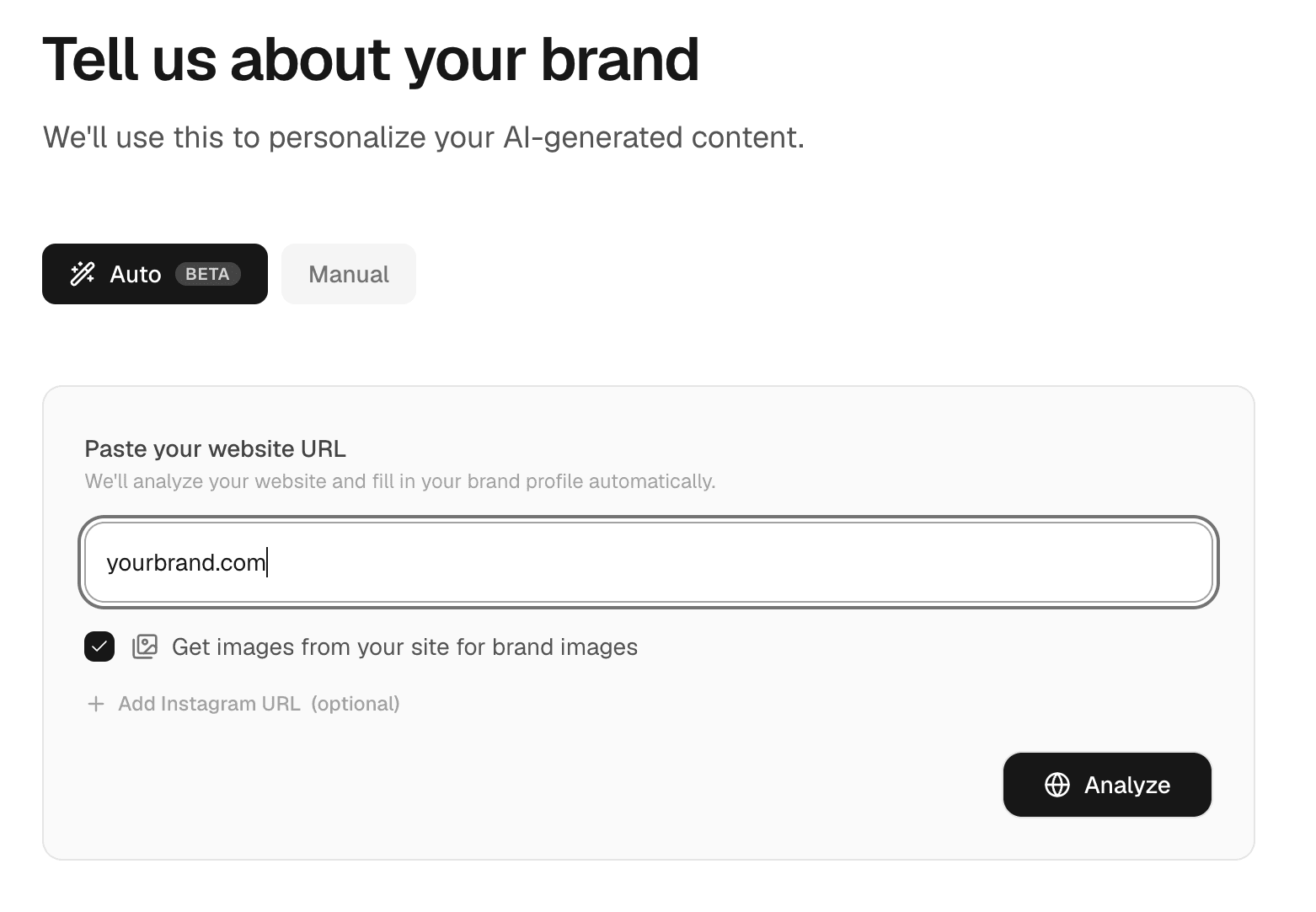
Step 1: Tell us about your brand
Whether you’re creating videos for clients or for your own brand, brand consistency is incredibly important. This is exactly the reason why we’ve created a Brand Profile space. It’s pretty straight forward: upload your brand URL, and our AI agent will analyze your brand voice, target audience, and automatically pull your product photos into your Liminal AI profile. This ensures that every video you make is in line with your branding. And, you can even import your products into the videos, make AI influencers interact with them or generate b-roll footage.
Step 2: Define your concept
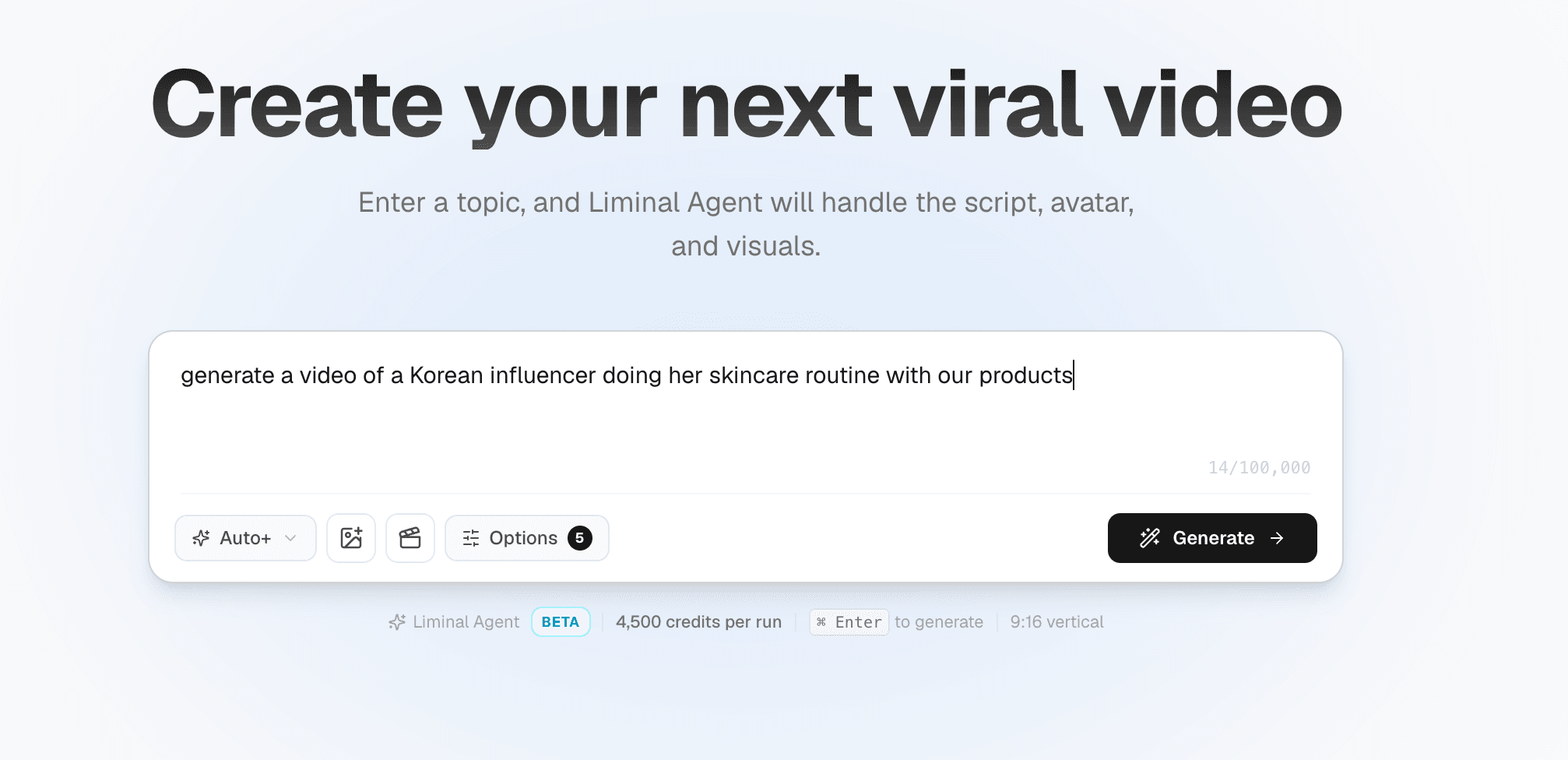
After you’ve uploaded your brand information, you can start generating your first video. Now is the time to think of what type of video you want. Is it: product reviews, tutorials, lifestyle content, or product shoots in a professional setting? Once you’ve decided on the type of UGC video, head over to your dashboard and describe your video in one sentence. It could be as easy as: generate a video of a Korean influencer doing her skincare routine with our products. Liminal AI also has the option for you to pick themes. For UGC videos, we recommend you to pick “Authentic” to yield the best results.
Step 3: Watch the magic happen
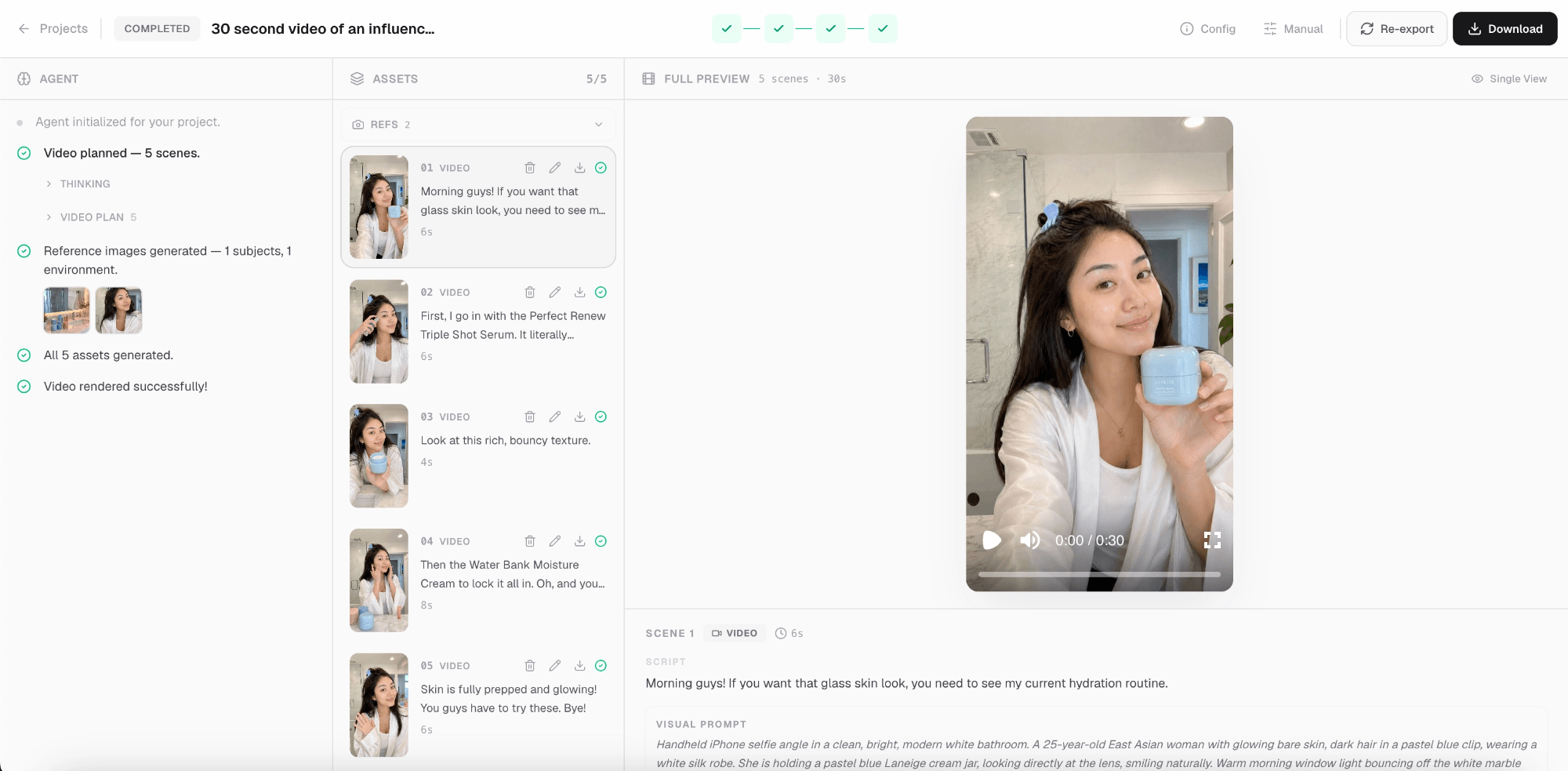
All that there’s left to do is hit generate and watch the magic happen! Here’s what’s happening behind the scenes: from your one-sentence description, we will generate a full video from scratch. From ideation, to storyline, and voiceover script. We have review sections for every part of the production process to ensure that you are still in charge of the creative direction. Even after you hit generate, you still get to change certain clips and scenes within each video to guarantee the desired outcome. The final result consists of a ready-to-post AI UGC video with AI influencers, b-rolls, and voiceovers between 30s to 3 minutes.
Best practices and tips for creating AI UGC videos
Although AI video generators make it very straightforward to make AI UGC videos nowadays, there are still a few things to look out for. Here’s a list of some of the best practices to render the best results for your videos:
Prompts
Writing a good prompt is one of the key differentiators between a good and bad AI video. Luckily, Liminal AI made the need for writing prompts obsolete with our Video Agent. However, in the case that you want to create individual clips instead of ready-to-post videos, here are some tips:
- Avoid vague descriptions, make your prompts as specific as you can. You can use a formula like: [shot type] + [subject] + [action] + [location] + [camera movement + [style]
- Something I like to do is using an AI writing tool like Gemini or ChatGPT to help optimize the prompt for specific AI video models
- Make use of negative prompts, something like: no subtitles, no distorted hands, no talking. This prevents 90% of common AI failures.
Visuals
The visuals can be a make or break when it comes to AI content creation. Here are several tips to make sure your visuals are indistinguishable:
- Usually, AI generates videos from the first frame, meaning having a high-quality first frame matters a lot. When you’re uploading a first frame, make sure it is at least 4k so that the video output also remains high quality.
- Upload references whenever possible. Whether it’s reference images or reference videos, AI will analyze these visuals and generate a video based on these references, making the output look more realistic.
- Focus on one action instead of five. Multiple actions can create AI confusion: “a girl that is talking while eating and facetiming a friend” can lead to chaos. Keep it simple for consistent results.
- Consistent output depends on your input. If you want your AI influencer to look the same, make sure to make a reference picture that captures her whole face at every angle and put this into the AI video generator so it spits out a videos of your desired AI influencer.
Some insider tips
After having worked with tons of AI video generation tools, here’s a list of things I wish people told me before I started:
- Testing, testing, and more testing. Your first video might not be the best, and that’s okay. It takes time to get the hang of it, so don’t be discouraged.
- Audio matter more than you think. When the goal is realism, sound is a crucial part of video production so make sure you include this into your prompt. Pay attention to background noice as well. So, instead of: “person walking in the forest” try: “person walking in the forest. Audio: birds chirping in the background, slight breeze”.
- Avoid using vague terms like “cinematic”, “high quality”, “professional”. Instead be as specific as possible and go for: “shot on iPhone 17 pro”, “golden hour grade”.